Rental support
Using Silent Disco Headphones
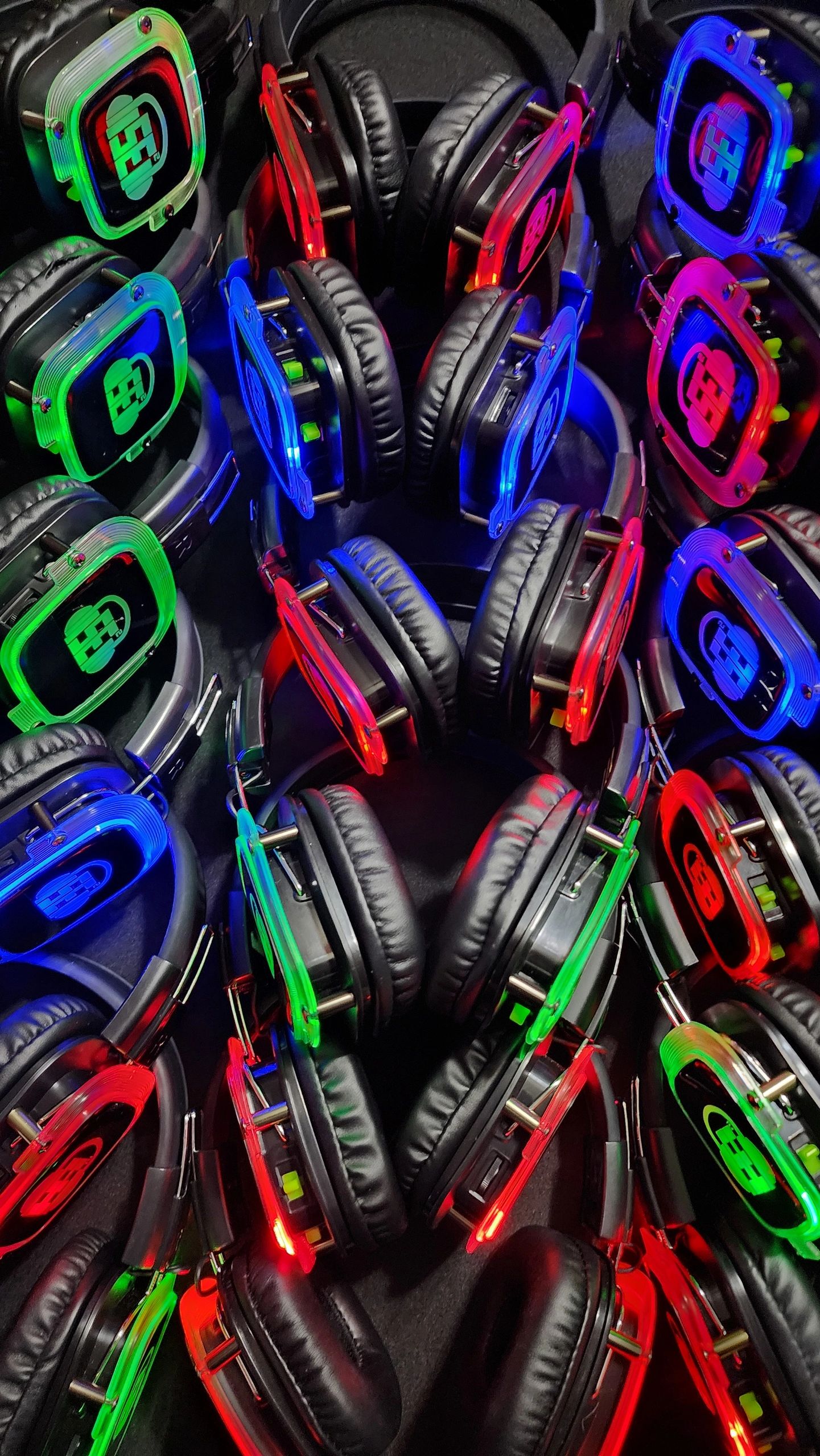
SE2 silent disco headphones are designed to be simple for guests: power on, choose a channel, set the volume, and dance.
- Power on the headphones before guests arrive.
- Confirm each channel color matches the transmitter or playlist.
- Show guests how to switch channels and adjust volume.
- Keep charging and storage areas organized during the event.
- Collect headphones at the end and inspect for damage before packing.
Test the controls before the event
Start with a low volume, power on a headset, and select a channel carrying audio. Adjust to a comfortable listening level. Try every planned channel and several headsets before guests arrive; one working pair does not check the entire setup. Ask for a demonstration of the controls on the actual equipment supplied with your rental.
If a headset is silent or distorted
- Check power, volume, and channel selection first. Compare with a working headset on the same channel.
- If several headsets cannot hear one channel, check that channel's audio source, cable connection, and transmitter power.
- Confirm that the source is playing the intended audio, not paused or muted. Change one setting at a time so you can identify what helped.
- If sound changes as you move, return toward the tested listening area and ask the operator to check coverage. Do not assume an advertised range applies to every room.
- If the problem remains, ask event staff or contact SE2. Do not open or attempt to repair rental equipment.
Each independent channel needs the correct source and transmitter setup. Follow the transmitter guide when checking the audio path.
Help guests and finish with an equipment count
One transmitter carries one source; a three-channel setup lets guests switch between three independently supplied sources. Test each channel with its intended playlist or DJ before opening the doors.
For shared equipment, arrange a clean handout and return station and follow SE2's care instructions. Check fit with children and have an adult supervise volume. For outdoor events, protect equipment from rain and test the actual listening area; keep a weather backup ready.
At handoff, demonstrate channel selection and individual volume control. Keep drinks away from equipment, provide a clear help point, and tell guests where to return their headset. Headphones are not a substitute for the venue's normal emergency-announcement procedures.
At collection, separate any unit with a reported problem and tell the rental contact what happened. Count the headsets and accessories against your handoff record, then follow the supplied packing, charging, and return instructions. For help with your specific rental, contact SE2.
Headphone questions
How do the headphone channels work?
Each transmitter carries one audio source. Guests select an available color-coded channel and set their own volume.
Can children use the headphones?
Check the fit with an adult before the event and supervise listening volume. Ask SE2 about the equipment supplied for your group.
Can I use the headphones outdoors?
Plan a dry, protected setup and test coverage in the actual listening area. Ask SE2 about the weather plan for your rental.
How should headphones be cleaned?
Follow the rental instructions and ask SE2 about cleaning between uses. Do not soak or open the equipment.
More headphone guides
- How to Choose Between 50-Headphone Packages and Larger Setups
- How Do Silent Disco Headphones Work? A Rental Guide
- Silent Disco Rental Checklist: Headphones, Channels and Returns
- Silent Disco Headphones: Rental Guide for Buffalo Events
- Summer Camp Hack: 3-Channel Silent Disco!
- Can You Use Silent Disco Headphones Outside? (The Weather Guide)
- How Long Do Silent Disco Headphone Batteries Last?
- Silent Fitness: Yoga, Spin Classes and Zumba with Headphones
- The 3 Channels Rule: How to Mix Genres for the Perfect Party
- Hygiene 101: How We Clean & Sanitize Our Silent Disco Headphones
- Graduation Party Ideas: The Ultimate Backyard Headphone Bash
- Headphone Party Etiquette: How to Be a Great Guest
- 3-Channel Silent Disco Headphones: How to Curate 3 Vibes at Once
- How Does a Silent Disco Work? Headphones, Channels and Setup